OpenUSD defines a scene description and composition system. A stage presents the composed scene as prims while opinions about each prim can remain in independent files or in-memory layers.
How do multiple files become one USD scene?
- InputReusable asset
workbench.usdcStore the workbench geometry in its own file.
- ProcessCompose the scene
reference + placement opinionsPlace the asset and author scene-specific properties.
- OutputInspect the result
stage · prim paths · unitsCheck what the simulator actually reads.
Reference an asset and author separate scene edits
A layer stores authored properties. A stage composes layers and references into the scene the simulator sees. For example, keep reusable geometry in workbench.usdc and author that asset’s placement and the camera in workbench_scene.usd.
workbench.usdc       ─┐
placement and camera ─┴→ composed stage → Isaac Sim
Check paths and units
/World/Workbench/Tabletop is a prim path in the composed scene. If several layers author the same property, the composition rules determine which value applies. A tabletop width of 1.2 in a stage with metersPerUnit = 1 means 1.2 meters. When referencing it in another stage, verify units, up axis, and the resolved prim path. Workbench conversion lab · OpenUSD reference tutorial
Architecture
| Component | Responsibility and data boundary |
|---|---|
| Layer, spec and edit target | A layer stores authored prim and property specs. The stage edit target determines where edits are written, so a task layer can override a source asset without editing the asset file. |
| Composition arcs | Sublayers combine opinions into a layer stack. References bring content into a namespace and payloads provide loadable content. Variant sets expose named alternatives such as equipment configurations. |
| Stage, prim and schema | The composed stage resolves opinions to yield prims and properties. Applied schemas add domain-specific attributes such as physics properties, which a compatible runtime interprets. |
Guide diagram based on the official references below.
flowchart LR
    assets["Referenced robot and equipment assets"]
    layer["Layout and task override layers"]
    comp["USD composition and resolution"]
    stage["Stage, prim paths and schemas"]
    app["Renderer or simulation runtime"]
    assets --> comp
    layer --> comp
    comp --> stage
    stage --> app
Official figures and examples
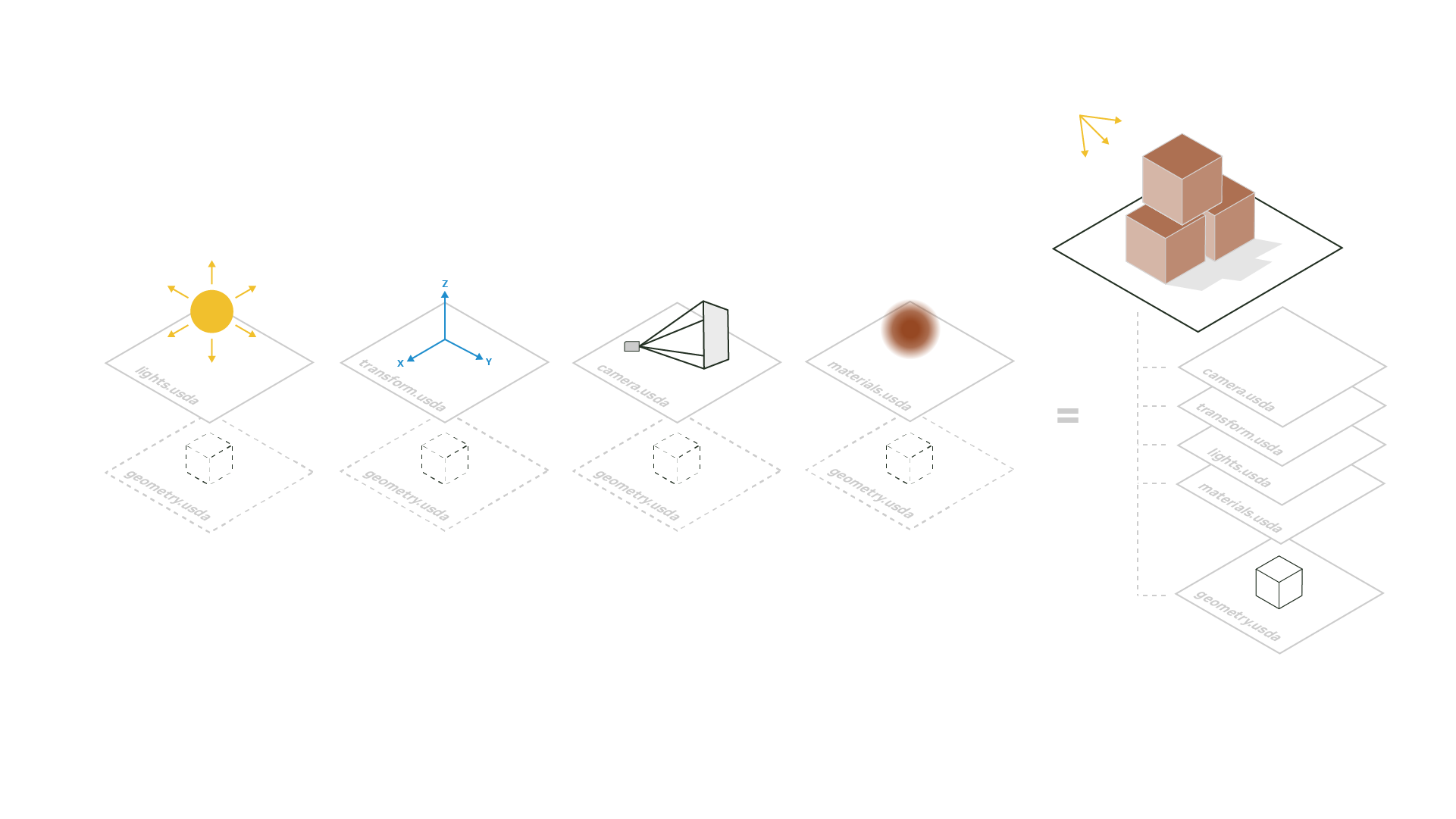
Independent layers contribute geometry and other opinions to the composed scene. Original figure and context
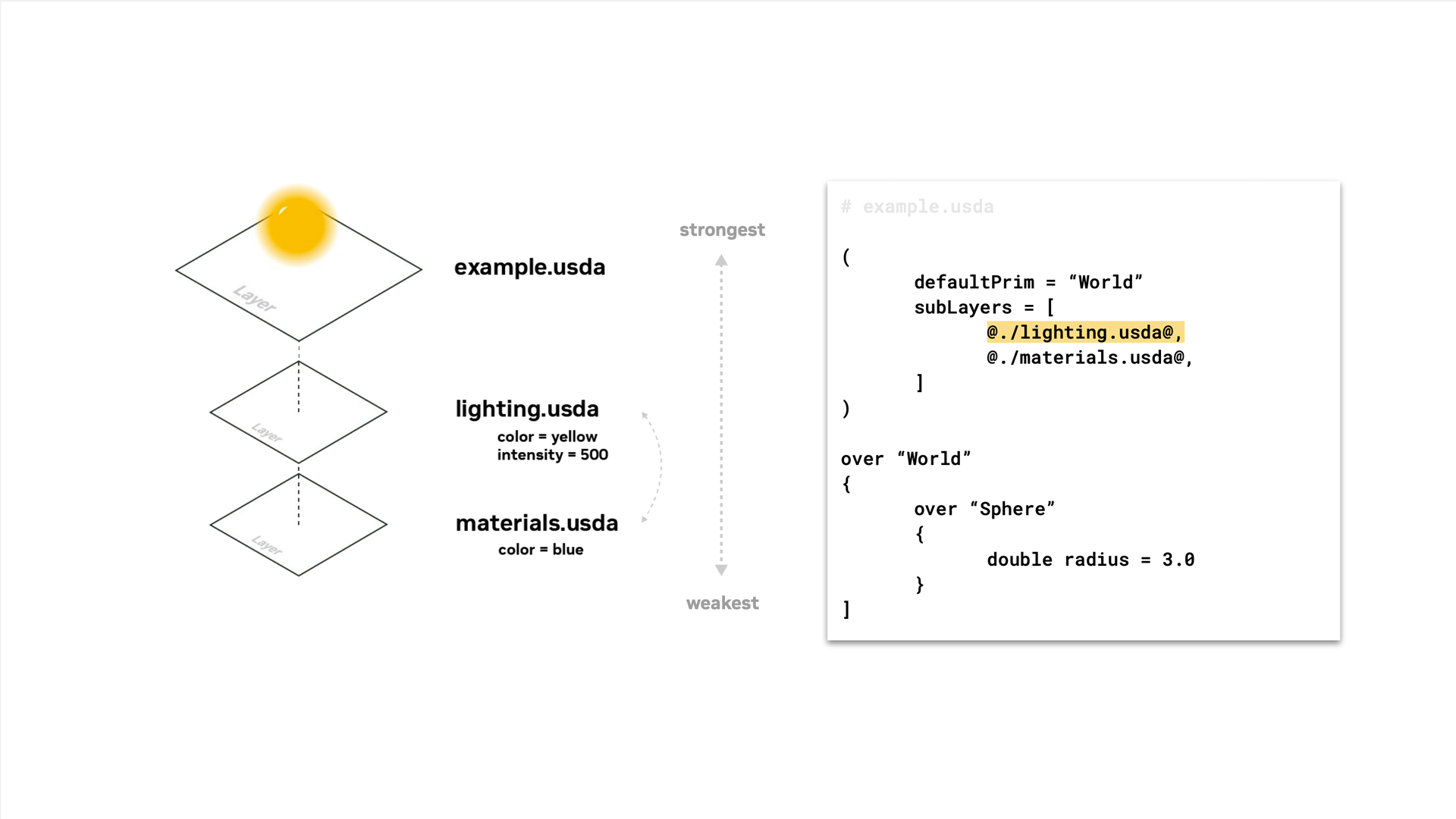
The sublayer example shows how a parent layer incorporates a set of layers. Order affects which overlapping opinions win. Original figure and context
Walkthrough
- Reference a reusable robot asset at
/World/Robot. Keep equipment placement in a layout layer, and configure the test scene’s sensor poses and task targets in a separate edit layer. - Compose a stage with both layers. Query the resolved prims in
pxr.Usdor inspect them in Isaac Sim. Try changing a task-layer opinion and identify which layer supplies the value. - Use payloads for heavy environment detail when consumers need selective loading. Package or resolve textures and other dependencies so the stage opens on another machine.
Validation
- Inspect unresolved paths, up-axis,
metersPerUnit, prim namespaces and the composition result before importing into a simulator. - Confirm the runtime supports the applied schemas used for your task. OpenUSD describes content that the runtime consumes.
License and scope
Pixar’s OpenUSD implementation uses TOST 1.0, based on Apache-2.0 with a modified trademark clause. Asset and specification terms are separate. OpenUSD LICENSE
Related guides
SimReady · Omniverse · Isaac Sim