Isaac Lab-Arena assembles robot-policy evaluation environments from reusable pieces. A benchmark can hold a task constant and vary the scene, embodiment or policy, so failures can be attributed to the changed condition.
NVIDIA announced 0.4 as a developer preview at CoRL 2026. The preview builds on Arena's composable, parallel evaluation workflows. NVIDIA announcement
How can the same task evaluate different robot policies?
- InputCompose a task
scene + embodiment + task criteriaSpecify objects, the robot, and how the task completes.
- ProcessExecute the policy
observations → policy adapter → actionsArena connects the model and simulated robot for evaluation.
- OutputRead the episode
progress.events + successCheck lift and stable placement by reading independent events.
Task criteria and the policy adapter
Arena composes a scene, embodiment, instruction, and success criteria. A policy adapter matches simulated observations and actions to the model contract. Arena logs one episode per JSONL line and records completed milestones in progress.events.
Read the lift and placement events
The lab configuration selects the droid_abs_joint_pos embodiment, a cube and bowl, and a 70-second limit. In the first recorded trial, lift occurs at step 442 and placement at step 521, giving success: true. Keep the scene and scoring conditions fixed when comparing policies and inspect the intermediate milestones too. Arena repository · GR00T lab
Architecture
| Component | Responsibility and data boundary |
|---|---|
| Scene | Provides asset instances, backgrounds and lights. A benchmark can include multiple layouts or object variants. |
| Embodiment | Specifies robot description, actions, observations and sensors. A different robot changes the policy-facing data contract. |
| Task | Defines the outcome to accomplish, such as moving an object to a target area. Keep the success condition stable when comparing policies. |
ArenaEnvBuilder / policy evaluation |
Compiles the three inputs into an Isaac Lab ManagerBasedRLEnv and registers it. Policy adapters and the evaluation runner feed actions and record results on that environment. |
Guide diagram based on the official references below.
flowchart LR
    scene["Scene assets and lighting"]
    robot["Embodiment and action contract"]
    task["Task and success condition"]
    build["ArenaEnvBuilder"]
    env["Registered Isaac Lab environment"]
    policy["Policy adapter"]
    metrics["Metrics and recorded episodes"]
    scene --> build
    robot --> build
    task --> build
    build --> env
    env --> policy
    policy --> env
    env --> metrics
Official figures and examples
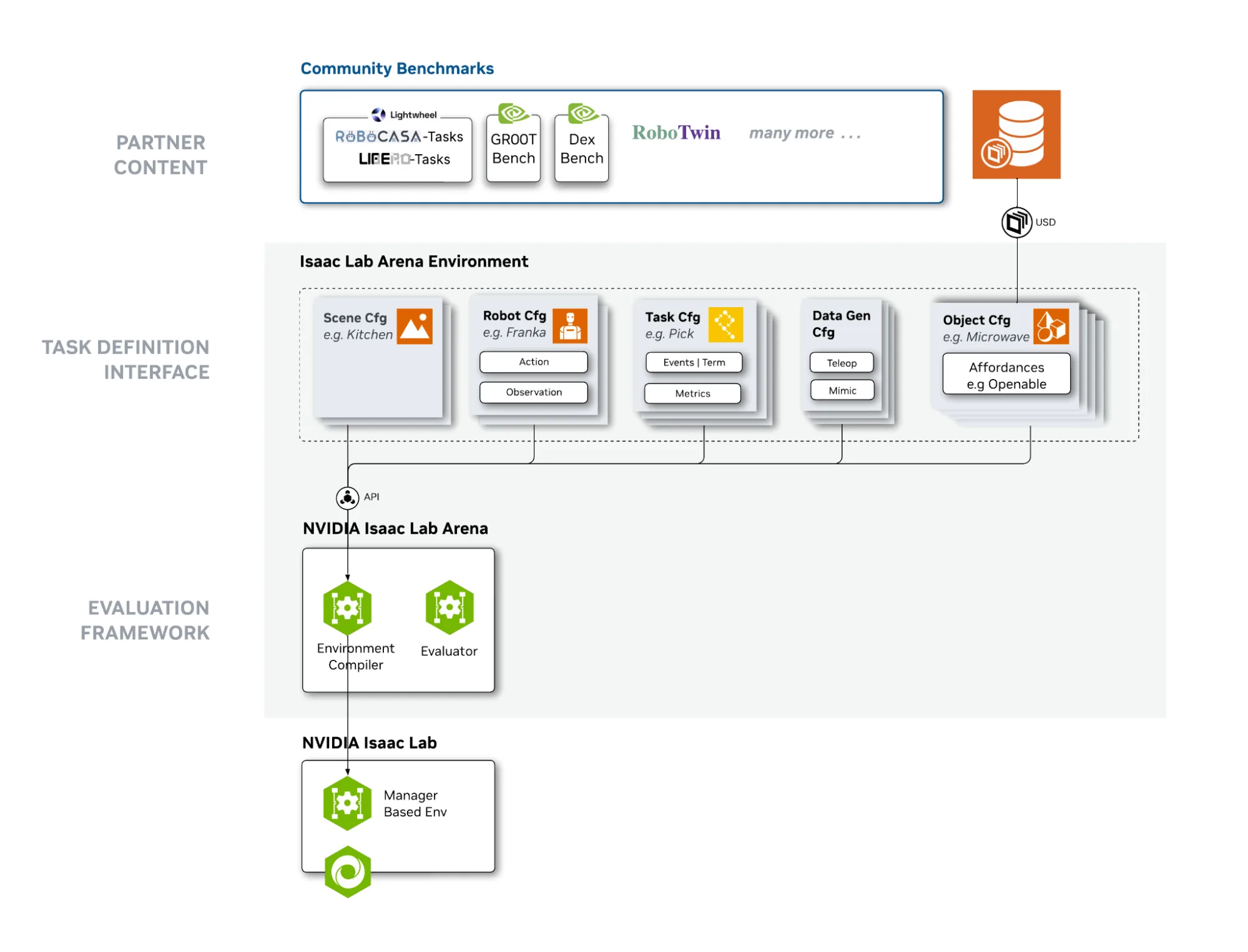
NVIDIA’s architecture diagram connects partner assets and task definitions to the policy evaluation framework. Original figure and context
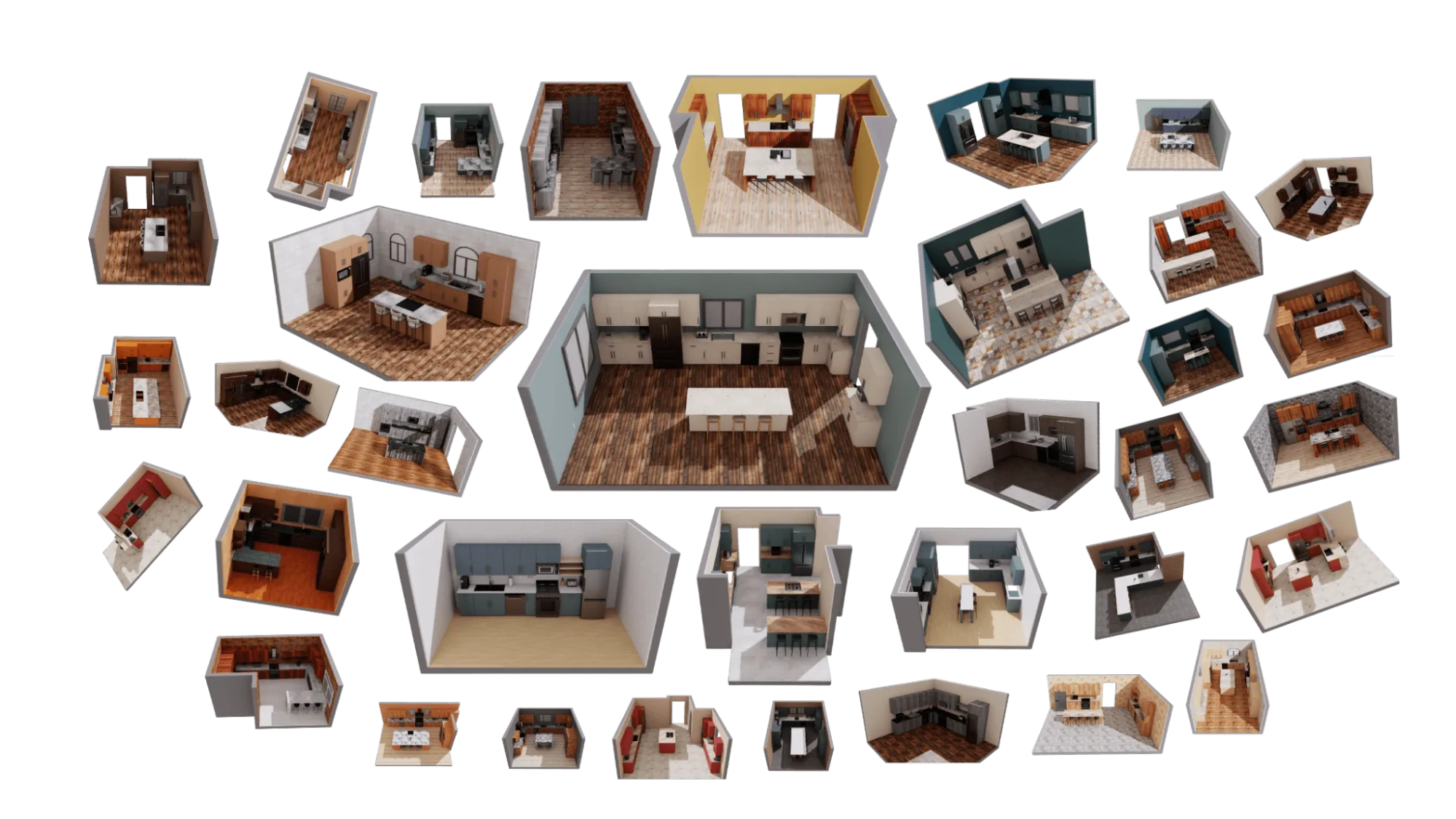
Lightwheel’s kitchen task suites show how evaluation scenes can vary while retaining a shared task interface. Original figure and context
Walkthrough
- Define an object-placement or microwave-door task and test the success predicate with scripted actions. Pick an embodiment and validate its observations and action space against the policy interface.
- Register an environment using
ArenaEnvBuilder. Run the same policy over fixed initial states and a held-out kitchen layout. Retain task metadata and videos so each failure can be replayed. - Add a second policy or embodiment after the baseline. Report success per scene and embodiment, rather than averaging over unmatched task sets.
Validation
- Record the policy adapter version, action convention, reset seeds and benchmark definition. Use the same episode horizon and success criteria for comparisons.
- Reusable task definitions still need compatible assets, observations and action semantics. Check support for the selected physics backend and robot.
License and scope
Apache-2.0 for the Arena repository. Simulator, evaluation content, assets and policies have their own terms.
Related guides
Isaac Lab · Isaac GR00T · Isaac Sim